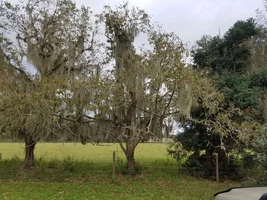
I miss posting pictures on Treebuzz

I'm not a capable picture editor.

On my phone I have an app named 'Image Compression' it's super simple to use. It takes about four clicks to shrink a pic from my phone to a size the works here.

Have you been in contact with Claudio, our Treebuzz tech? He's been asking for problems to solve.

@colb

Yeah, I sent the pictures below to Claudio. Looks like he is posting them just fine, and I kind of expected that. Again, I can post to FB or IG just fine, but not the buzz. I've had the same problem on two different Samsung S7 phones, one of which was a warranty phone, so pretty fresh out of the factory. Sometimes it happens, sometimes it doesn't. I can avoid it by posting smaller MB copies, but my pictures are well below the max allowable size. I'm wondering if it is cell hardware-, android OS-, or Wi-Fi upload time- related, but I'm no pro at this. I just don't get why I can upload to FB and IG so well, then get inconsistently stonewalled here.
 
Yeah, I sent the pictures below to Claudio. Looks like he is posting them just fine, and I kind of expected that. Again, I can post to FB or IG just fine, but not the buzz. I've had the same problem on two different Samsung S7 phones, one of which was a warranty phone, so pretty fresh out of the factory. Sometimes it happens, sometimes it doesn't. I can avoid it by posting smaller MB copies, but my pictures are well below the max allowable size. I'm wondering if it is cell hardware-, android OS-, or Wi-Fi upload time- related, but I'm no pro at this. I just don't get why I can upload to FB and IG so well, then get inconsistently stonewalled here.
If I was a forum manager, and I’m not I’m just an IT guy of sorts, I would ask you which app or browser you are accessing the site with. That likely has more to do with it than a network or the forum software.
 
On the same lines, to clarify the workflow that worked for me now (and did not work a few months ago):
Take photo with iOS Photos app, open TB site in latest Google Chrome app for iOS, click little image button or “Attach files” button and browse to the images.
 
On the same lines, to clarify the workflow that worked for me now (and did not work a few months ago):
Take photo with iOS Photos app, open TB site in latest Google Chrome app for iOS, click little image button or “Attach files” button and browse to the images.

Yeah, I'm always clicking the little mountain + moon/sun button on the right side of the upper bar.
 
I would agree with @samsquatch

With my teeeeny bit of understanding what's going on behind the keyboard would require a Star Trek type translator to have everything flow together. I'm glad that all I need is metric and SAE wrenches to work on almost everything else.
 
That photo I posted came straight from my phone (Samsung Galaxy 8) without editing or resizing, using the drop photo function. 2.57 MB, 4032x1960.

View attachment 64632
JUst searched this up for info on how to post from my phone. Great easiest method I've ever used on TreeBuzz.

I'm always amazed at how a persons sharing of info can be so far reaching.
 
I can interact with the triple vertical dots on the post reply dialog box and that's it - no pictures, no links, no bold, no italocs, etc. The three dots drop down menus that I cannot interact with. I tap each icon with my thumb and it does not respond. It's like Balin in Moria with orcs coming, except not. :D
 

New threads New posts

Kask Stihl NORTHEASTERN Arborists Wesspur TreeStuff.com Teufelberger Westminster X-Rigging Teufelberger
Back
Top Bottom