Tablets in the field Pros and Cons

[ QUOTE ]
Tom, it is a sub folder we created. A way of separating the sea of estimates that are in limbo and the jobs that have scheduled. That way in the AM I just open the to do folder, select the days jobs and print work orders for the guys rather than doing an individual search through all the estimates that have not responded.

[/ QUOTE ]

Thanks, Willie. That's what I am planning to do, but I am hoping the scheduling function (coming soon, supposedly) will do that for us.

-Tom
 
we use a web-based system designed by the company owner. I can use a smart phone or a laptop but I almost exclusively use the ipad. with it, I have the company database, everyone's schedules, and the ability to write bids or send invoices. I can use a separate app to take photos, navigate to the job site (i have it set up in the truck so I can see the nice, large screen at all times and access it to type or switch between apps for other tasks--not while driving, of course), look up diagnoses or IDs, or show clients info on the web such as treesaregood.com.

i do find some areas are problematic because of weak signals. sometimes I can use the sprint phone to tether the att ipad and get a signal where there was none. usually it is just slower when the signal is bad, but occasionally I have to make notes (on another app) and post to the web later. of course, I can stop in at libraries, starbucks, or any number of other places for free wifi.

sometimes a client will decline to use email and we have to print and mail documents (or we could use an onboard printer, as was mentioned in OP), but it's quite rare these days. sometimes they just view it on my ipad, give me verbal approval, and I can process it for them on the spot. save a tree! ditch the forms.

typing/editing is not as easy as with a full keyboard, but you get used to it pretty fast. I still curse autocorrect sometimes, but mostly it helps bunches because when I know I missed a key I just keep typing and the gadget figures out what I mean most of the time. often I only have to type half a word and AC lets me know I can just hit space to have it finished for me. I have set it up so specific shortcuts insert some of the common phrases I use (such as "p1" for "prune trees for deadwood at least one inch in diameter," "clr" for "clear roof to . . . etc.," and similar shortcuts to insert my email addresses)

Thankfully, I have not broken it, but obviously that would suck. I am careful and the risk is worth not toting boxes of forms, pens, clipboard, etc.

to me, this is the clear way to go. everything in one hand, bigger screen for reading and typing than a phone, no need to open and close a laptop all day, normally no need to tether, no keeping up with company copies of forms. even before I came to this company, I was able to do most of the same stuff with distinct apps as opposed to the system I use now (Pages word processor let me do estimates and other apps did invoicing, etc.), but I was a one-man show so scheduling multiple crews, etc., was not needed.

in short, it takes time to get the right apps to work with your system, but then it's easy-peasy to keep things going, all with far less clutter to lug around everywhere.

 
[ QUOTE ]
I can't vouch for any of the programs yet, but if you're taking an iPad into the field the Lifeproof case is damn near the best I can find out there. Not exactly cheap at around $100-120, but I think I'd rather buy a tough kick-butt case than toss that money on an extended "warranty" that promises everything and delivers nothing.

http://www.youtube.com/watch?v=AKliCnn0VAg

[/ QUOTE ]


I have this ffor mine and it works great. The only downside is I have to take it off for the cred card swiper to work. After a few times the outer part doesnt fit so snug.Best Buy $79
 
[ QUOTE ]
I am trying out invoice2go. How did you set up a sub folder for a "to do" ? Is that on the desktop version? It is a great app would like to utilize it more.

[/ QUOTE ]

They are working on it, but currently there is no feature to schedule jobs.

-Tom
 
+1 I have the iphone case and it is bomb proof, been through the ringer for sure. Also buy it from REI then you can take it back if it gets too beat up... It definitely protects my phone thats for sure.
 
[ QUOTE ]
I am trying out invoice2go. How did you set up a sub folder for a "to do" ? Is that on the desktop version? It is a great app would like to utilize it more.

[/ QUOTE ]

Yes, we did it on the desk top version
 
[ QUOTE ]
[ QUOTE ]
I am trying out invoice2go. How did you set up a sub folder for a "to do" ? Is that on the desktop version? It is a great app would like to utilize it more.

[/ QUOTE ]

Yes, we did it on the desk top version

[/ QUOTE ]

I was mistaken, I thought you made it separately. I have the desktop version, so I'm going to explore this more today. Can you explain how you did it/where to find subfolders? Thanks.

-Tom
 
[ QUOTE ]
[ QUOTE ]
[ QUOTE ]
I am trying out invoice2go. How did you set up a sub folder for a "to do" ? Is that on the desktop version? It is a great app would like to utilize it more.

[/ QUOTE ]

Yes, we did it on the desk top version

[/ QUOTE ]

I was mistaken, I thought you made it separately. I have the desktop version, so I'm going to explore this more today. Can you explain how you did it/where to find subfolders? Thanks.

-Tom

[/ QUOTE ]If you want your "jobs to do" sub to be under your "estimates" folder the click on the "estimates" folder, take your mouse to the top left corner of the page, click the "folder" tab, select "subfolder" from the drop down menu. Name the sub folder what ever you like
 
All that does for me is go back and forth between opening the 'estimates' folder and closing it. My 'folders' button works like a 'back' button, I don't have a 'subfolder' selection. :( What version do you have? Mine is the Enterprise version, which I thought was the best.
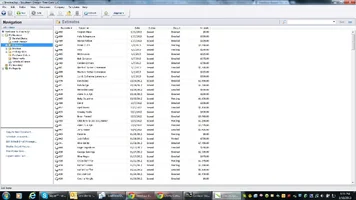
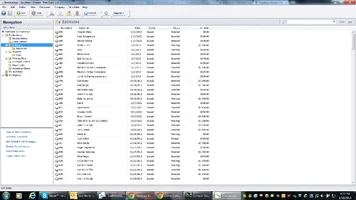
-Tom
 
So after receiving a ipad mini within the new year, I have been researching and trying different methods to assist with working in the field. To start I run one crew and I am the arborist, climber, salesman, and mechanic. So my need is to keep all of my info together and accessible anywhere, anytime. I have tried invoice2go and fresh books. They both have great programs just lack in the exactly what I need program. So I went and built my own using the numbers program from Apple. It took time and learning to set up, but once it was tweaked it is exactly what I needed. Then add the iPhone with iCloud service and we have the best hands down mobile office available. Quotes, invoices and work orders can be generated simultaneously or separate. Job site pics, layouts or special add ons can easily added and sent via email to workers or clients. Calendars and contacts all sync without thought. It really has been the best addition this year, for my crew.
 

New threads New posts

Back
Top Bottom