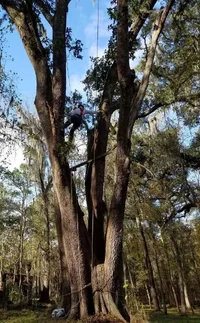
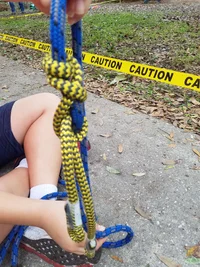
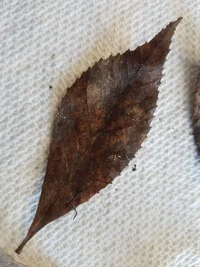
I miss posting pictures on Treebuzz

I’ve been having issues here and there posting photos. It simply starts to up load and then the system will place a line through the uploading file.

The system has never allowed me to take a photo with my camera, but allows me to post a photo from a file in from my photo browser
 
@RyTheTreeGuy Those are 562xp inner dogs with widened holes. I am sure someone could make them oblong to fit nicer, but widening worked fine and there is still a decent amount of metal left on the outside.
Love the saw but seems super cold blooded, and some days she won't fire up immediately after it's been running. Guessing it would be fixed by hooking it up to a computer...
 
...enough of a drawback that I would not do it.

What drawbacks concern you, that would be relevant to a forum post? Just curious... is this resize so horrible that it renders the photo useless? I'm not sure what you're worried about.

resize-test.webp

The forum software probably uses Image Magick on the server to handle the photos.... thumbnails, resizing to fit editor and post area, etc. so you're usually not viewing it in it's original size or resolution, anyway. That, and the limits of a computer monitor make huge files only necessary for art/photography sites that need to provide fullsize images for print reproduction purposes.
 
What drawbacks concern you, that would be relevant to a forum post? Just curious... is this resize so horrible that it renders the photo useless? I'm not sure what you're worried about.

View attachment 64645

The forum software probably uses Image Magick on the server to handle the photos.... thumbnails, resizing to fit editor and post area, etc. so you're usually not viewing it in it's original size or resolution, anyway. That, and the limits of a computer monitor make huge files only necessary for art/photography sites that need to provide fullsize images for print reproduction purposes.

Yeah, it's not necessary for me to upload huge files. It's a convenience thing - I often forego uploading photos because of the extra steps involved in resizing and because my other media platforms just upload the file. I'm spoiled. But I don't get the inconsistency either - I post about the problem and all of a sudden i can post a 7mb pic just fine. That is also frustrating. And it's frustrating that it's hard to troubleshoot - how is the admin supposed to know what my problem is if it isn't replicable? Does anyone else get the "oops" message regularly?
Send me the image by email at Claudio [AT] todo10.com so I can troubleshoot this.

I'll try to get a screenshot of the error message and send the photo that was associated with it. Thanks man.
 
I would say it's frustrating because it doesn't seem to be consistent. More often than not however, I'm able to post my pics.
 
I get the error occasionally, but usually I just refresh the page and try again, and it works. Seems like a connectivity issue to me. PING and TRACEROUTE return some less than stellar results when I run them on the server.
 
I get the error occasionally, but usually I just refresh the page and try again, and it works. Seems like a connectivity issue to me. PING and TRACEROUTE return some less than stellar results when I run them on the server.

I feel like that should be platform-non-discriminatory... What is FB doing that the Treebuzz forum software isn't?
 
Yeah, it's not necessary for me to upload huge files. It's a convenience thing - I often forego uploading photos because of the extra steps involved in resizing. . .
Not sure how it would work on a PC but on a Mac, a very quick resize is to just open the photo on your machine to look at it, then take a quick screen shot. The screen shot will be a fraction of the size of the original but still fine for the internet. Just a couple of mouse clicks. As JeffGu said, the high resolution originals we normally have from our cameras now are mainly useful for printing or publishing purposes. They are far too big for convenient use online and are a killer for anyone with a slower internet connection.
 
Not sure how it would work on a PC but on a Mac, a very quick resize is to just open the photo on your machine to look at it, then take a quick screen shot. The screen shot will be a fraction of the size of the original but still fine for the internet. Just a couple of mouse clicks.

I use an android OS Samsung S7 phone for pretty much 100% of my posts. I would have to add a photo editing app, which is fine, but it would be solely for Treebuzz. Then, I'd have to use it. The extra clicks are an impediment for me that is strangely... impedimentary...

As JeffGu said, the high resolution originals we normally have from our cameras now are mainly useful for printing or publishing purposes. They are far too big for convenient use online and are a killer for anyone with a slower internet connection.

That makes sense. I might be discouraging folks from opening a thread if it has pictures from me if they know the pictures are all high res. This makes me want resizing to be a native default to the Treebuzz site, perhaps with a non-default option to retain all pixels for the rare case when all those pixels are necessary (I'm looking at you, Trees from a Distance).

I also get annoyed by having to keep track of copies of the same photo that have different resolution.

Everything adds up and I end up not posting pictures as frequently as I would like to.
 
Just tried to post a thread of random hitches that my son is trying here at the Legends tree climbing masters comp and I could not upload the picture. The photo is 6.16mb

Screenshot_20200119-095134_Chrome.jpg
 
View attachment 65075
It’s twerkin for me now! Yay. 8.2MB from iPhone X

There, @JeffGu , tha's be'a:
Screenshot_20200129-154109_Gallery.webp

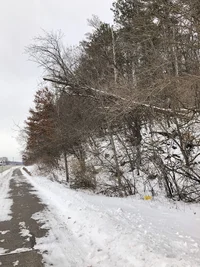
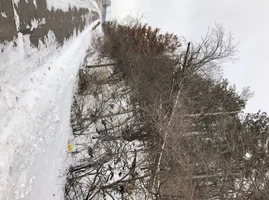
3.26mb when I downloaded it. I rotated it 90° because it obviously needed that, then this happened when I tried to upload the original:

Screenshot_20200129-153851_Chrome.webp

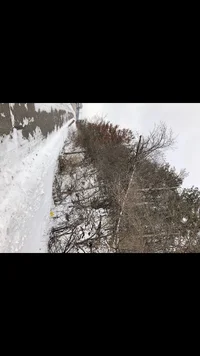
So, I took and uploaded a screenshot of it, complete with black space. I need to start cropping that out to make it look normal:

20200129_154540.webp

I had to click my screen dozens of times to navigate to the right file location for screenshots, then edit the screenshot. I'm not trying to be lousy to the forum managers - just frequently having a hard time with uploading pictures here.
 
I'm not a capable picture editor.

On my phone I have an app named 'Image Compression' it's super simple to use. It takes about four clicks to shrink a pic from my phone to a size the works here.

Have you been in contact with Claudio, our Treebuzz tech? He's been asking for problems to solve.

@colb
 

New threads New posts

Kask Stihl NORTHEASTERN Arborists Wesspur TreeStuff.com Teufelberger Westminster X-Rigging Teufelberger
Back
Top Bottom