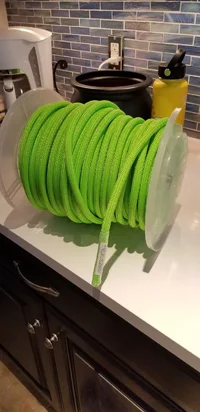
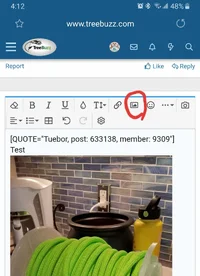
Anyone know what's up with posting pictures to Treebuzz? It's been crimping my style this year. I thought it was my old phone, but the same "oops!" notification pops up with my new phone. Seems like the size matters - I can take screenshots of my photos and post those, but who wants to do that?! Is there a way to plug in a native resize feature, or increase the allowable size per file? Do I need to use the tapatalk app?
Navigation
Install the app
How to install the app on iOS
Follow along with the video below to see how to install our site as a web app on your home screen.
Note: This feature may not be available in some browsers.
More options
You are using an out of date browser. It may not display this or other websites correctly.
You should upgrade or use an alternative browser.
You should upgrade or use an alternative browser.
I miss posting pictures on Treebuzz
- Thread starter colb
- Start date


- Location
- Retired in Minneapolis
Resizing does help.
I sent a note to our Tech Staff
I sent a note to our Tech Staff


View attachment 64631
Is it just your own photos you took?
Thanks for that...
 Yeah, just my own photos.
- Location
- Retired in Minneapolis
Have you tried resizing before postingThanks for that...
Or set your camera to more realistic settings. Unless you’re going to print posters there’s no need to have such large and pixel dense settings
Have you tried resizing before posting
Or set your camera to more realistic settings. Unless you’re going to print posters there’s no need to have such large and pixel dense settings
Tbh, resizing or downsizing my pixels have enough of a drawback that I would not do it. I have a hard time imagining that it's enough data to disturb treebuzz though, since it is the only site that I have this problem with. IG and FB don't do this.

Serf Life
Been here much more than a while
- Location
- Maine Island
Serf Life
Been here much more than a while
- Location
- Maine Island
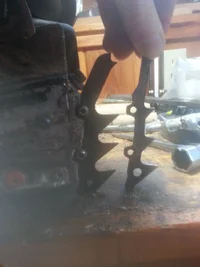
First in a while I could post. Did the copy thing jonny-shank suggested. Upgraded dogs on 550xp.
Serf Life
Been here much more than a while
- Location
- Maine Island
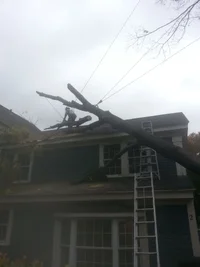
Don't get it, now can post pics I couldn't before, without resizing or copying?? Same file size and phone.
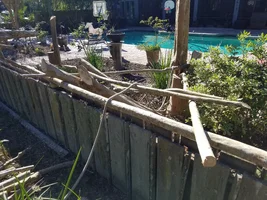
View attachment 64638
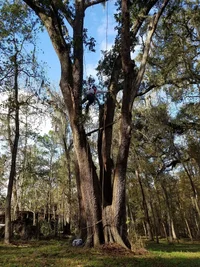
Now it's letting me post a photo... @Tom Dunlap did someone change the backend?
5.19MB
- Location
- Retired in Minneapolis
No clue...no word from our Treebuzz Tech Support.
Chaplain242
Branched out member
No clue...no word from our Treebuzz Tech Support.
Restored pay and conditions to tech support crew?

If you can get funds for TreeBuzz (a similar amount as FaceBook has on its wallet) we can let users to upload any image size without any troubles.and FB don't do this
Currently, we allow up to 10240x10240 pixels images be uploaded and 65MB
Send me the image by email at Claudio [AT] todo10.com so I can troubleshoot this.Anyone know what's up with posting pictures to Treebuzz? It's been crimping my style this year. I thought it was my old phone, but the same "oops!" notification pops up with my new phone. Seems like the size matters - I can take screenshots of my photos and post those, but who wants to do that?! Is there a way to plug in a native resize feature, or increase the allowable size per file? Do I need to use the tapatalk app?

RyTheTreeGuy
Branched out member
- Location
- Canada
Are those Husky Dogs or after market? Really would like a larger set on my 550...love that thing and this will only make it betterFirst in a while I could post. Did the copy thing jonny-shank suggested. Upgraded dogs on 550xp.