
Navigation
Install the app
How to install the app on iOS
Follow along with the video below to see how to install our site as a web app on your home screen.
Note: This feature may not be available in some browsers.
More options
You are using an out of date browser. It may not display this or other websites correctly.
You should upgrade or use an alternative browser.
You should upgrade or use an alternative browser.
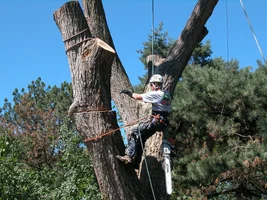
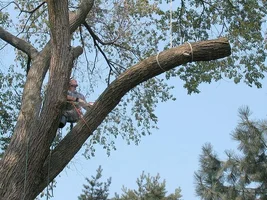
More heavy riggin,
- Thread starter tod_k
- Start date


- Location
- Santa Cruz, CA
Tod,
I like the pictures but most of the time they just takes too long
to load and then I have to pan around. This is the last picture at
640x480 (174KB) compare with the one you posted at 2560x1920 (1MB).
... I should have posted this 'Rant and Raves'.
I like the pictures but most of the time they just takes too long
to load and then I have to pan around. This is the last picture at
640x480 (174KB) compare with the one you posted at 2560x1920 (1MB).
... I should have posted this 'Rant and Raves'.
Attachments

- Location
- Home of the New Jersey Devils
Yeah Todd, resize those darn things /forum/images/graemlins/bravo.gif
- Location
- Home of the New Jersey Devils
That settles it, my talk at the TCIA Expo will now be on computer tricks like how to resize your images. /forum/images/graemlins/tongue.gif
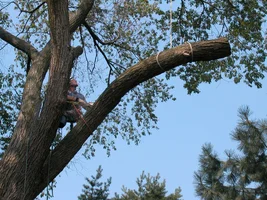
Nice shot though. The cables look like fun.
Nice shot though. The cables look like fun.

[ QUOTE ]
Lot of belly achin goin on. Hows this?
[/ QUOTE ]
Still about three times the data size to be even approaching comfortable on a dialup connection (the percentage of broadband connections in the US just recently just barely broke the 50% barrier, so there's still a lot of us "out there"). Around 100KB is quite alright, thank you. And almost twice the screen size of a typical monitor resolution setting of 1024x768, so panning is still necessary. Unless you're using a browser that automatically crops the image to fully fit in a window, but then why send (and make Mark store, then serve!) more than necessary?
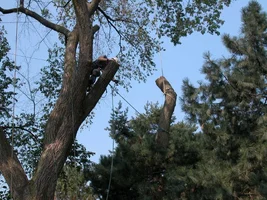
You've been shown one very reasonable size already, here's a slightly less reasonable one, but it's a tad larger data-wise than the dimensions would warrant because it's been sharpened up a bit, as well as the gamma adjusted slightly to increase detail in the shadows.
Glen
Lot of belly achin goin on. Hows this?
[/ QUOTE ]
Still about three times the data size to be even approaching comfortable on a dialup connection (the percentage of broadband connections in the US just recently just barely broke the 50% barrier, so there's still a lot of us "out there"). Around 100KB is quite alright, thank you. And almost twice the screen size of a typical monitor resolution setting of 1024x768, so panning is still necessary. Unless you're using a browser that automatically crops the image to fully fit in a window, but then why send (and make Mark store, then serve!) more than necessary?
You've been shown one very reasonable size already, here's a slightly less reasonable one, but it's a tad larger data-wise than the dimensions would warrant because it's been sharpened up a bit, as well as the gamma adjusted slightly to increase detail in the shadows.
Glen
Attachments

- Location
- georgetown ontario canada
here is a fast way to shrink pictures if you have xp but no photo image software.
Right click the image(s) you want to shrink, click "send to" and "mail recipient"
xp will ask you if you want to shrink them to make them more internet friendly. Click ok and email the pics to yourself. drag them into a new folder and they are ready to send to "the Buzz"
Dave
Right click the image(s) you want to shrink, click "send to" and "mail recipient"
xp will ask you if you want to shrink them to make them more internet friendly. Click ok and email the pics to yourself. drag them into a new folder and they are ready to send to "the Buzz"
Dave
- Location
- Home of the New Jersey Devils
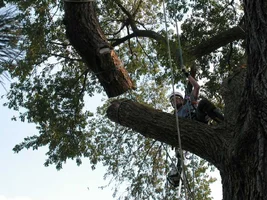
That's better Todd, but a little smaller would be perfect. If you don't have to scroll horizontal to view it, that's pretty good. /forum/images/graemlins/vroam.gif
Either you're using a very large screen with a very high resolution or you're using computer software which tries to be smart for you instead of letting you do it yourself, so you don't look so smart when you use it to interact. That's not a dig against you, but against the stuff you're using. I'd bet it's from Redmond, Washington.

- Location
- Bloomington, Indiana
[ QUOTE ]
Stupid computer. Any better
[/ QUOTE ]
Todd;
I could view the ones tha glens re-sized, but all of the onbes that you have posted (including the re-sized one) are still too big for me to view. It's not that I have to scroll to see the entire image--my computer just gives up and doesn't load any of the photo.
If your computer and the software are high-tech enough for you to see the entire photo then the program can probably easily resize the photos for Neanderthals like me and my software.
The resolution can be pretty small and still look good on the computer. If you are taking pics just for email, posting, or PPT then, if you have a digital camera, just change the resolution setting on the camera before you take the photo. Just be aware that if you do take the picture with low rsolution you will not be able to use them for publication and they will not look as good when printed as photographs.
Mahk
Stupid computer. Any better
[/ QUOTE ]
Todd;
I could view the ones tha glens re-sized, but all of the onbes that you have posted (including the re-sized one) are still too big for me to view. It's not that I have to scroll to see the entire image--my computer just gives up and doesn't load any of the photo.
If your computer and the software are high-tech enough for you to see the entire photo then the program can probably easily resize the photos for Neanderthals like me and my software.
The resolution can be pretty small and still look good on the computer. If you are taking pics just for email, posting, or PPT then, if you have a digital camera, just change the resolution setting on the camera before you take the photo. Just be aware that if you do take the picture with low rsolution you will not be able to use them for publication and they will not look as good when printed as photographs.
Mahk
[ QUOTE ]
It's not that I have to scroll to see the entire image--my computer just gives up and doesn't load any of the photo.
If your computer and the software are high-tech enough for you to see the entire photo then the program can probably easily resize the photos for Neanderthals like me and my software.
[/ QUOTE ]
My browser is running on a 466 MHz Celeron box, but it's displaying on a 233 MHz P-II, which is also were I did the image manipulation.
[ QUOTE ]
[good advice trimmed] Just be aware that if you do take the picture with low rsolution you will not be able to use them for publication and they will not look as good when printed as photographs.
[/ QUOTE ]
That's all true and good information. Perhaps the best thing, though would be to use image viewing/manipulation software that doesn't try to hide from the user what it is it's doing. I don't know what to recommend for Windows users except for what it is I use. The only drawback for Windows users is that there isn't a graphical interface to the manipulation. There is one in the source code and pre-compiled packages for unix-like stuff, but I use the command line anyway as it's just plain faster.
I think for that last one I used something like
<font class="small">Code:</font><hr /><pre>convert -resize 50% -gamma 1.4 -sharpen 0x1 12204-Dscn0711.jpg 12204-Dscn0711.mod.jpg</pre><hr />
It's just that simple. And quite quick, even on this old hardware. Spend a few minutes with me Todd, and I'll "learn you" to do it.
http://www.imagemagick.org/
Glen
It's not that I have to scroll to see the entire image--my computer just gives up and doesn't load any of the photo.
If your computer and the software are high-tech enough for you to see the entire photo then the program can probably easily resize the photos for Neanderthals like me and my software.
[/ QUOTE ]
My browser is running on a 466 MHz Celeron box, but it's displaying on a 233 MHz P-II, which is also were I did the image manipulation.
[ QUOTE ]
[good advice trimmed] Just be aware that if you do take the picture with low rsolution you will not be able to use them for publication and they will not look as good when printed as photographs.
[/ QUOTE ]
That's all true and good information. Perhaps the best thing, though would be to use image viewing/manipulation software that doesn't try to hide from the user what it is it's doing. I don't know what to recommend for Windows users except for what it is I use. The only drawback for Windows users is that there isn't a graphical interface to the manipulation. There is one in the source code and pre-compiled packages for unix-like stuff, but I use the command line anyway as it's just plain faster.
I think for that last one I used something like
<font class="small">Code:</font><hr /><pre>convert -resize 50% -gamma 1.4 -sharpen 0x1 12204-Dscn0711.jpg 12204-Dscn0711.mod.jpg</pre><hr />
It's just that simple. And quite quick, even on this old hardware. Spend a few minutes with me Todd, and I'll "learn you" to do it.
http://www.imagemagick.org/
Glen
- Location
- Santa Cruz, CA
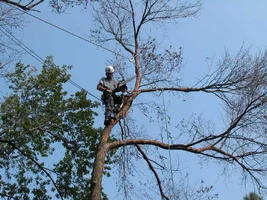
Tod,
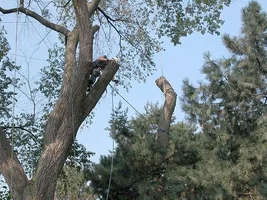
819x614 102KB. Nice.
819x614 102KB. Nice.
New threads New posts
-
test
-
What's on your mind? TCI Magazine wants to know
- Started by Tree Care Industry Assoc.
- Replies: 7
-
 Apr 09 (Free CEUs) & May 07 - 'Urban Forestry Today' Webcasts @ Noon (Eastern)
- Started by UFT
- Replies: 0
-

-
-

-
-
test2
-

-
 KBNest -Midline Attachable SRS Canopy Anchor.
- Latest: southsoundtree
-
-

-