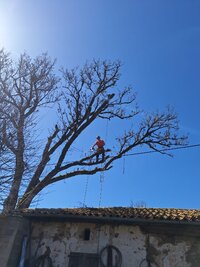
Unable to post pictures this morning?

First time after trying to load said jpeg was to big.
Second time after trying it said server not responding?
If you edit the photo on your phone, you can crop it until it works. I’m not a tech savvy individual, but this usually works for me. It changes the way I take pictures. I’m always wondering if I am far enough away from the photo subject to afford enough margin for cropping. lol!
 
Well to me this site needs to update the site to keep up with common tech? I shouldn’t have to make my camera take worse quality pictures to be able to post.
This is the only site I’ve ran into that I would have to do this.
 
Well to me this site needs to update the site to keep up with common tech? I shouldn’t have to make my camera take worse quality pictures to be able to post.
This is the only site I’ve ran into that I would have to do this.
I've experienced others. Newer phone? I'm guessing higher resolution pic from a better camera. If the site allows unlimited size and numbers of photos they could quickly run into an expensive hosting situation.

In Windows I have an app so I just right click on a photo in its file folder and select "resize" then choose the resolution...I can either replace the original or change the name and have a duplicate.

On Android phone, i open a separate app called Photo & Picture Resizer (Free version). Similar except I need to open that app on the phone vs just the file folder in windows. I'd be very surprised if there isn't something available on iOS doing the same thing.

All it does is decrease file size, doesn't crop or anything. Frankly the quality difference is not noticable when it's done. Sure, it wouldn't print as well or you cannozoom in as much, but it works great for posting pics on a forum. About any photo I've post here has been resized.

 
I've experienced others. Newer phone? I'm guessing higher resolution pic from a better camera. If the site allows unlimited size and numbers of photos they could quickly run into an expensive hosting situation.

In Windows I have an app so I just right click on a photo in its file folder and select "resize" then choose the resolution...I can either replace the original or change the name and have a duplicate.

On Android phone, i open a separate app called Photo & Picture Resizer (Free version). Similar except I need to open that app on the phone vs just the file folder in windows. I'd be very surprised if there isn't something available on iOS doing the same thing.

All it does is decrease file size, doesn't crop or anything. Frankly the quality difference is not noticable when it's done. Sure, it wouldn't print as well or you cannozoom in as much, but it works great for posting pics on a forum. About any photo I've post here has been resized.
on android, the native photo app has that resize function, JSYK
 
I have a Samsung...so there is Gallery. I don't see it in there. (Or in Google Photos or Amazon Photos...which I use because Google wants me to buy more storage).

Maybe I'm missing another option?
you have to click on edit, and then look in the top right corner for the three dots. its there where the settings menu opens from. I have to resize all my 50MP pics to 80% to get them to load. as you said, it only reduces the resolution a little
 

New threads New posts

Back
Top Bottom