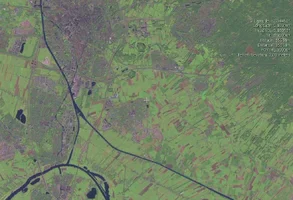
NASA's Worldwind program

Re: NASA\'s Worldwind program

[ QUOTE ]
Sorry Merak,

Yesterday I was to lame to copy and paste the text from your post (i am just spoiled by the working links on others). ;-)

Great site

[/ QUOTE ]

Step one: place mouse cursor at one end or the other of the would-be URL

Step two: depress left mouse button and drag the cursor along the text to highlight it, then release button

Step three: left-single-click on "new tab" icon on browser toolbar to get a new blank tab

Step four: middle-click in the location bar of the new tab to place there the text that had just been highlighted

Step five: click the "go" button to the right of the location bar

If you're using a lesser computer operating environment it might require more effort :)
 
Re: NASA\'s Worldwind program

I always preferred the original Mozilla stuff (Netscape Navigator through version 4.8) to the newer codebase, though the newer stuff is more capable. I use Konqueror, part of the K Desktop Environment (though I use precious little else of the "environment").

I'll have a look at that NASA site and see what it is they want me do download, and if I can use it, I'll see what they have to show me about my area.

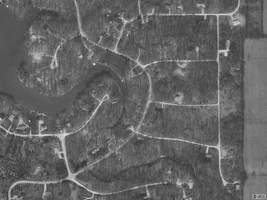
For now, I'm in this attached satellite image from terraserver.com.

Glen
 

Attachments

  • 26270-me_in_here.webp
    26270-me_in_here.webp
    71.6 KB · Views: 12
Re: NASA\'s Worldwind program

I could download the source and probably compile it, but I don't have a Windows computer to run it on...
 
Re: NASA\'s Worldwind program

[ QUOTE ]
What's your longitude/latitude?

[/ QUOTE ]

Nearly 39.966N, 86.955W. What does the NASA site show for that, if you please?

Glen
 
Re: NASA\'s Worldwind program

Depending on what's longi and latti, either a ship next to Greenland or a sanddune in the middle of Asia.

Downloading the 180 Mb NASA was not the fuss, but to see on your posted website a non blurry picture of my street that makes me feel ......

Wolter
 

New threads New posts

Back
Top Bottom