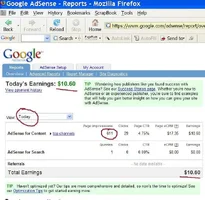
Google supplies suggestions and diagrams showing which ads perform best on the page and in what spot. Sometimes there will be limited options.
You can up to THREE ads per page. My clicks doubled when I added extra ads. On the other hand, many of my pages are big enough to handle 2 or 3 ads. I don't put 3 ads on my smallest pages.
You might find something funky on a few occassions.
On my page 19 pages of hazard trees, I noticeded that the Google ads being displayed were for HEALTH CARE, not tree stuff.
There had to be a reason - I had dealt with this issue once before on another page, and it all hinges on the text, and something that's written or repeated.
I noticed that my page had the word "REMEDY" or "remedies" repeated a lot, because when I tweaked that article for the Online Seminars to use, Len Phillips asked me to include solutions or remedies.
So I went back to the page and used other words instead like "ways to fix the problem" or "options" for correction.
Then I reloaded my page and most of the ads switched over to tree and gardening related content.
My choice most times, is "Text" rather than "Text & Image" ad blocks, where the ad could be either or. It depends on the page. You need to load your page and see just what kind of IMAGE ads are being displayed. If they are alright, then fine. If it's a wierd product, I choose code for the "text" only ad block. Also, a text block that is tall and narrow, will show up to 4 separate ads, rather than one images ad. So that's 4 things to trigger interest versus one alone that has more eye-appeal.
There is a KEYWORD tool somewhere in Google, and it may be in the Adwords section. But you can use it, to figure out what keywords are associated with higher paying ads.
For example, if I have a webpage on "Oregon Hiking" (which I do), it may be that ads for "Oregon Hiking" average 10 cents per click. But suppose I enter "Oregon Hiking" in the keyword tool and it shows a bunch of related suggested keywords. It might show me that "Oregon Outdoors Hiking" averages 75 cents per click. In that case, I will go into the title and description tags of my page and add "outdoors" between "Oregon" & "hiking". And I'll add it once, twice or a few times in my text. That causes Google's computers to detect the change and start sending the higher paying ads over which people bid higher for.
Here is the link to the Google Keyword tool - just found it.
Google Page for Working With Keywords: Internal Page Link - May need an Acct.
If it does not work for some reason, it may be because you need an account for either advertising with, or displaying ads. I'm not sure, just try ou the link.
<font color="red">
If that link does work, choose the option in the box for "Cost and Ad Position Estimates" and go. Then, on the next page, stick with "Cost and Ad Position Estimates, but this time you will see a $$$ box. Enter some dollar amount that's big like $10. Enter a word like "tree care" in the keyword box, then hit CALCULATE. This time, you will see a list of keywords, but with money amounts alongside, ranging from the least, to the greatest </font>
Here is a page that shows the most expensive cost per click. What it shows, is that for one kind of ad, that each time a computer user clicks on the ad one time, it costs the advertiser $15 to $30 for that SINGLE click.
Cost per Clicks for Most Expensive Pay Per Click Ads
I think that page is a little outdated, because on a website forum, someone posted a link that showed some single clicks to reach near $62 dollars for certain kinds of loans - I recall a school loan.